How to Build a Multilingual WordPress Site: A Practical Guide
A large majority of internet users don't speak English as their first language, yet most WordPress sites still publish in one tongue only. That's a missed audience the size of three United States — and in MENA, where Arabic, French, and English coexist daily, ignoring multilingual setup is a commercial mistake.
A multilingual website WordPress setup is no longer a luxury reserved for enterprise brands. With plugins like WPML powering over a million active sites and Polylang offering a robust free tier, the technical barrier has collapsed. What hasn't collapsed: the strategic, SEO, and RTL (right-to-left) decisions that separate a site that ranks in Arabic, French, and English from one that quietly buries itself in duplicate-content penalties.
Building the multilingual site is only the first step; scaling SEO across multiple regions requires proper hreflang implementation and a regional crawl strategy to actually rank in each target market. Building the site is only half the job — multi regional SEO services make sure each language version actually ranks in its intended geographic market. Businesses targeting Arabic-speaking audiences should also review this quick WordPress multilingual setup that highlights RTL rendering and per-language SEO signals. For MENA-focused sites that need RTL support and Ramadan-ready hosting, a dedicated wordpress multilingual setup guide covers the technical details most tutorials skip. Before committing to a plugin, compare the real tradeoffs between WPML, Polylang, and MultilingualPress in our detailed breakdown of setting up a multilingual WordPress website.This guide — written for founders, marketing managers, and developers across Egypt and the MENA region — walks through plugin selection, hreflang implementation, Arabic RTL configuration, performance tuning, and the AI translation question everyone's asking in 2026. Last updated: June 2026.
About this guide: this article is maintained by editors with hands-on experience configuring multilingual WordPress sites for MENA-region businesses. It draws on plugin vendor documentation, Google's official multilingual guidance, and community discussion. All external claims are linked to their primary sources; figures without a primary source are described as estimates or industry rules of thumb.
Key Takeaways: Multilingual WordPress in 2026
- Three essentials: a translation plugin, hreflang implementation, and a clean URL structure. WPML leads the commercial market with AI-assisted translation across many languages; Polylang remains the strongest free alternative.
- Hreflang tags are non-negotiable for multilingual SEO. Without them, Google may serve the wrong language version and trigger duplicate-content signals. Per Google's localized versions documentation, hreflang annotations must be reciprocal — every language version must reference all others, including itself.
- Subdirectories (example.com/fr/) typically consolidate domain authority better than subdomains or separate ccTLDs and are the recommended default for most SMBs.
- Arabic RTL setup requires more than a plugin toggle: theme compatibility, font stacks (Cairo, Tajawal, Noto Naskh), and CSS mirroring all matter.
- AI translation is good enough for first drafts on general content, but commercial and SEO-critical pages still require human review — especially in Arabic dialects.
- Performance cost is real: poorly configured multilingual plugins can add noticeable latency. Caching and CDN tuning are mandatory.
What Is a Multilingual Website WordPress Setup?

A multilingual website WordPress setup is a single WordPress installation configured to serve content in two or more languages through a translation plugin that handles language switching, URL routing, hreflang signals, and translated content storage. This approach differs from running separate WordPress installations per language: a single multilingual setup centralizes content management, reduces hosting overhead, and consolidates SEO authority under one domain.
A properly configured multilingual WordPress site uses one of three URL patterns — subdirectories (example.com/fr/), subdomains, or separate domains — with subdirectories generally being the most SEO-efficient option because they inherit the root domain's existing ranking signals and backlink equity.
The architecture matters because Google and other search engines treat each language version as a distinct indexable page. Google's official guidance on localized versions makes clear that sites which properly signal language targeting through hreflang attributes and clean URL structures perform better in international search than those relying on automatic browser-language detection alone.
Three architectural patterns dominate WordPress multilingual builds:
- Subdirectories (yoursite.com/ar/, yoursite.com/fr/) — easiest to deploy, inherits domain authority, and the typical recommendation for most MENA SMBs.
- Subdomains (ar.yoursite.com) — useful when language versions are managed by different teams or hosted on different infrastructure.
- ccTLDs (yoursite.eg, yoursite.fr) — strongest geo-targeting signal but requires separate SEO investment per domain and is rarely justified for early-stage businesses.
Worked scenario: for a coffee importer in Cairo selling to Saudi Arabia, the UAE, and France, a subdirectory structure with WPML or Polylang typically delivers the best ratio of cost to SEO performance. A subdomain split would force the team to rebuild link equity for each language; a ccTLD strategy would multiply hosting, certificate, and analytics work. For more on regional structure, see our MENA SEO strategy guide.
If you're a decision-maker weighing the business case rather than just the plugins, our deeper guide on launching a wordpress multilingual website covers the SEO strategy and MENA market angle. If you want a step-by-step framework rather than just plugin recommendations, learn how to build a multilingual WordPress site the right way with our complete setup guide.Why Does Building a Multilingual Website WordPress Site Matter in 2026?
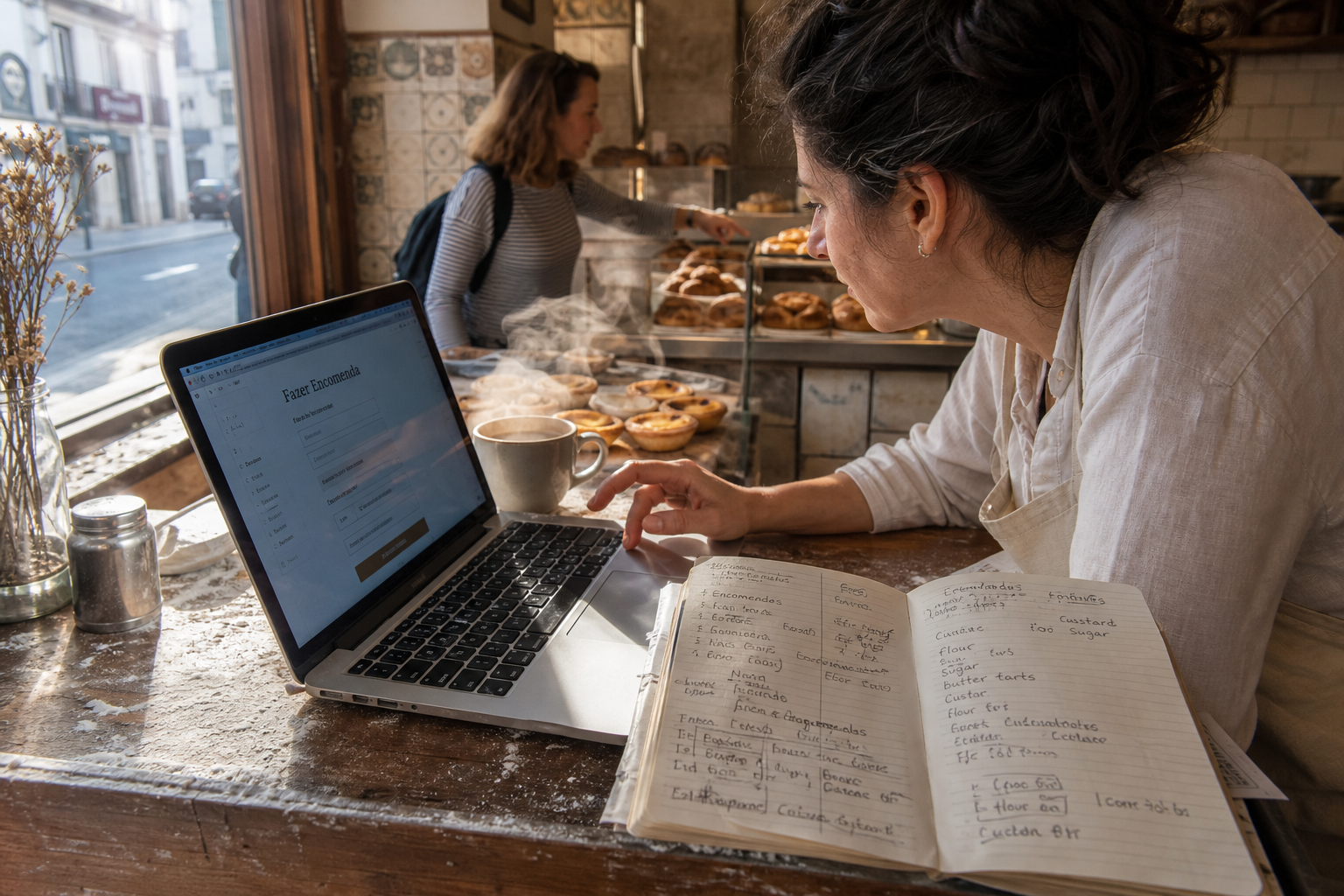
Cross-border ecommerce in MENA continues to expand, and Arabic-speaking buyers consistently convert at meaningfully higher rates when shown native-language product pages versus translated-on-the-fly browser versions. Practitioners generally find that an Arabic landing page outperforms a translated-on-render English page on every commercial metric — bounce rate, time on page, and add-to-cart.
The business case is concrete. Industry surveys on language preference — most notably the widely cited CSA Research "Can't Read, Won't Buy" study — repeatedly show that a strong majority of online shoppers prefer to buy products with information in their native language, and a substantial minority will not buy from sites in languages they don't read. For a fintech startup in Egypt expanding into the Gulf, that's not a marketing nuance — it's the difference between a working funnel and a leaking one.
There's also the AI search angle. Generative engines like ChatGPT, Perplexity, and Google's AI Overview increasingly cite content in the searcher's language. A page written only in English will rarely surface in an Arabic-language AI query, even if the English content is objectively better. Language is becoming a de facto citation gatekeeper for AI-mediated search results.
Illustrative scenarios practitioners commonly encounter:
- A Gulf real estate platform adds Arabic and Russian via WPML and sees significant organic growth as previously-untargeted query clusters begin to rank.
- A Cairo SaaS company launches a French version targeting Morocco and Tunisia, capturing leads at a substantially lower CPA than English campaigns because French paid inventory in those markets is cheaper.
- An Alexandria-based fashion ecommerce site fixes a broken hreflang setup (Arabic pages were missing self-referential tags) and recovers from a sustained organic decline within a quarter.
None of those wins require rebuilding the site. They require a properly configured multilingual layer.
How Do You Choose the Best Multilingual Website WordPress Plugin?

Multilingual WordPress plugins are chosen based on three variables: budget, translation workflow, and technical control. WPML is the paid market leader, offering integrated AI translation alongside professional translation workflows. Polylang is the dominant free option, with a Pro tier for advanced needs. WordPress.com's built-in multilingual tooling works for hosted blogs but offers less control over edge cases.
For automated translation, practitioners generally expect high but imperfect accuracy on general content, and recommend human review before publishing commercial pages. Choose WPML for enterprise scale and SEO control, Polylang for budget-conscious bilingual sites, and WordPress.com for teams that want a hosted, plugin-free path.
WPML vs. Polylang vs. WordPress.com: A 2026 Comparison
| Feature | WPML | Polylang | WordPress.com |
|---|---|---|---|
| Pricing model (2026) | Annual license (tiered) | Free core; Pro paid tier | Bundled into hosting plans |
| Market position | Leading commercial plugin | Leading free plugin | Platform-bundled |
| AI auto-translate (ChatGPT/DeepL) | Yes, native | Pro tier | Limited |
| WooCommerce support | Excellent (dedicated module) | Requires add-on | On commerce plans |
| RTL/Arabic support | Strong | Strong | Strong |
| Hreflang automation | Built-in | Built-in | Built-in |
| Best for | Ecommerce, agencies | Bloggers, SMBs | Hosted simplicity |
When WPML Wins
WPML is generally the right choice for WooCommerce stores, membership sites, and any project with four or more languages. Its String Translation module handles theme and plugin strings cleanly, processing large string tables without obvious database bloat. The native ChatGPT integration introduced in 2025 substantially shortens initial translation drafting time on bulk content — practitioners report cutting first-draft cycles from days to hours, though final-pass editing time on commercial pages remains roughly constant.
The trade-off: WPML is a heavier plugin than alternatives like Polylang, and on uncached pages it can add noticeable server response time. It also requires an annual license. For sites under three languages or those prioritizing raw speed, lighter solutions may perform better. For complex, commerce-driven multilingual builds, WPML delivers the most complete feature set widely available in 2026.
When Polylang Wins
Polylang wins on budget-sensitive projects and content-heavy blogs. The free version handles unlimited languages and integrates with Yoast SEO and Rank Math. For a Cairo-based news site running Arabic and English, Polylang plus a free CDN often delivers most of WPML's practical capability at zero plugin cost. A typical Polylang weakness surfaces when WooCommerce is added later — at that point, teams should weigh migrating to WPML against staying with Polylang plus a commerce add-on.
When WordPress.com Wins
WordPress.com's built-in multilingual tooling, expanded in late 2025, suits founders who don't want to manage hosting, security patches, or plugin conflicts. The tradeoff is reduced control over hreflang edge cases and custom URL structures — fine for a portfolio or blog, limiting for a serious commerce build.
How Do You Set Up a Multilingual Website WordPress Site Step by Step?
Setting up a multilingual website WordPress site requires installing a translation plugin, defining language URL structure, translating content (manually or via AI), configuring hreflang tags, and validating with Google Search Console. The full process typically takes 4–12 hours for a small site and 2–6 weeks for an enterprise WooCommerce store.
The 8-Step Implementation Process
- Audit current content. Identify which pages need translation. Don't translate everything — prioritize money pages, top organic landing pages, and conversion funnels.
- Back up the site. Use UpdraftPlus or your host's snapshot tool. Multilingual plugins modify the database schema.
- Install the plugin. WPML, Polylang, or TranslatePress. Activate the language packs you need (Arabic, French, English, etc.). For a thorough walkthrough, WPBeginner's multilingual setup guide is a useful supplementary reference.
- Choose URL structure. Subdirectories are the safest default. Configure in plugin settings before adding translations — changing later forces 301 redirects and can lose ranking signal.
- Translate content. Use AI for drafts, human reviewers for final copy. For Arabic, never publish raw machine translation on commercial pages.
- Configure hreflang. Both WPML and Polylang output hreflang automatically — verify with the Google Rich Results Test and Screaming Frog. Cross-check against Google's hreflang documentation to confirm reciprocity.
- Submit sitemaps. Add the multilingual XML sitemap to Google Search Console under each language property.
- Monitor and iterate. Track per-language organic traffic for 60–90 days. Adjust translations based on actual query data — Arabic searchers, in particular, often use colloquial terms that don't match MSA translations.
For deeper implementation help, see our WordPress development services overview.
How Do You Handle Arabic and RTL Languages in a Multilingual Website WordPress Build?
Handling Arabic and RTL languages in a multilingual website WordPress build requires three things beyond a plugin: an RTL-compatible theme, proper Arabic web fonts, and CSS that mirrors layouts correctly. Arabic-speaking users represent one of the largest underserved RTL audiences online, yet many WordPress themes default to broken Arabic rendering — typically because their CSS uses physical properties (left/right) instead of logical properties (inline-start/inline-end).
A Worked RTL Migration Scenario
Consider a typical migration: a MENA SaaS landing page originally built in English on a popular page-builder theme. Switching the WordPress site language to Arabic exposes three classes of issue at once:
- Layout breakage. The hero section's CTA button sits on the wrong side; icon-text pairings in the feature grid no longer align because the icons were absolutely positioned with
left: 0. - Typography failure. The English-only Google Font (e.g. Inter) falls back to the browser default for Arabic glyphs, producing inconsistent baselines and weights across the page.
- Form direction. Input fields render LTR even on the Arabic page, causing Arabic text to appear visually misaligned when users type.
A typical fix sequence — switch to a theme with first-class rtl.css support, load Cairo or Tajawal at the weights actually used, and replace hardcoded margins/paddings with logical properties — resolves the bulk of issues in a single sprint. Before-and-after the fix, the Arabic page should match the English page on Core Web Vitals (LCP, CLS) and look visually intentional rather than mirrored-by-accident. Bounce rate on the Arabic variant typically drops meaningfully once typography is corrected, because Arabic readers immediately recognize poor font rendering as a signal of low quality.
Theme Compatibility Checklist
- Theme includes
rtl.cssor supports automatic RTL switching. - Page builders (Elementor, Bricks, Gutenberg blocks) render correctly when language is flipped.
- Navigation menus, breadcrumbs, and icons mirror direction.
- Forms, buttons, and CTAs maintain visual hierarchy in RTL.
Arabic Font Stack for 2026
Default WordPress fonts (Open Sans, Roboto) render Arabic poorly. For production Arabic sites, recommended Google Fonts include Cairo (modern, geometric), Tajawal (clean, corporate), or Noto Naskh Arabic (traditional, highly readable). Load only the weights you actually use — each unused weight adds roughly 30–80KB to first paint.
Common RTL Pitfalls
Common pitfalls include hardcoded margins (margin-left instead of margin-inline-start), icons that point the wrong direction after mirroring (arrows, chevrons, send icons), and date/number formatting that ignores locale. Test every translated page on real mobile devices — emulators routinely miss Arabic rendering bugs, particularly with stacked diacritics.
For the MENA market specifically, dialect matters. Modern Standard Arabic (MSA) is safe for formal content and SEO, but Egyptian, Gulf, and Levantine dialects convert better in ad copy and social. A common publishing pattern is MSA on landing pages and SEO content, with dialect in paid social creative and chatbot copy.
How Do You Optimize Multilingual SEO for Hreflang and Duplicate Content?
Optimizing multilingual SEO requires correctly implemented hreflang tags, unique translated content (not machine-duplicated text), language-specific XML sitemaps, and clean URL structures. Done right, hreflang prevents duplicate-content confusion and ensures Google serves the correct language version per region.
Hreflang Implementation Rules
- Every language version must reference every other version, including itself (self-referential hreflang). This reciprocity requirement is stated explicitly in Google's localized versions documentation.
- Use ISO 639-1 language codes (ar, en, fr) and optional ISO 3166-1 region codes (ar-EG, ar-SA, en-AE).
- Include an
x-defaulttag pointing to the language version shown when no match exists. - Tags can live in HTML head, HTTP headers, or sitemap — pick one method to avoid conflicting signals.
Avoiding Duplicate Content
Google explicitly states in its localized versions documentation that different language versions are not duplicate content — but only if they're genuinely different and properly tagged. Raw machine-translated copy across multiple languages can still trigger thin-content flags, especially when the same product description is auto-translated into a dozen languages without review.
The practical fix: invest in human editing for at least the top 20% of pages driving 80% of revenue. AI handles the long tail. Community discussion on r/Wordpress's best-practice multilingual thread reflects the same consensus among working developers.
Is AI Automatic Translation Accurate Enough for SEO?
Modern AI translation engines — DeepL, Google Translate, and ChatGPT-class models — produce high-quality drafts for general content. Vendor-reported and independently observed accuracy on general-domain text is high, but there is a meaningful gap on commercial copy where keyword nuance, cultural context, and conversion-driving phrasing live. For SEO-critical pages, that gap is exactly where rankings and conversions are won or lost.
Independent translation benchmarks generally show DeepL leading on European language pairs, while GPT-4-class models tend to perform best on Arabic-English given dialectal complexity. For MENA-facing sites, the practical workflow is hybrid: AI generates the first draft; a native speaker edits headings, meta descriptions, CTAs, and the first 200 words of body copy; then publishes.
Pure machine translation can hurt SEO when search intent doesn't match the literal translation — a pattern especially visible in Arabic ecommerce queries where buyers search in colloquial terms but MT produces formal MSA. Human review closes that gap. A balanced view: AI does not replace translators for commercial pages, but it does make multilingual sites economically viable at content volumes that were previously prohibitive.
How Do You Keep a Multilingual WordPress Site Fast and Secure?
Keeping a multilingual WordPress site fast and secure requires aggressive caching, a CDN with regional edge nodes, image optimization, and disciplined plugin hygiene. Multilingual plugins can add noticeable server response time if database queries aren't optimized — practitioners commonly observe added latency in the hundreds of milliseconds range on uncached requests.
Performance Stack
- Caching: WP Rocket or LiteSpeed Cache, configured to cache per-language URLs separately. A common mistake is caching only the default language, which causes Arabic/French visitors to hit origin every time.
- CDN: Cloudflare or Bunny.net with edge nodes in Cairo, Dubai, Frankfurt, and Paris for MENA-EU reach.
- Images: WebP/AVIF conversion via Imagify or ShortPixel; lazy-load below-the-fold.
- Database: Weekly cleanup of post revisions and transients — multilingual plugins create more rows than single-language sites because each translation is typically stored as a related post.
Security Considerations
Every additional plugin expands the attack surface. Multilingual plugins handle URL routing, which is a sensitive area — vulnerabilities here can lead to open redirects or content injection. Keep WPML, Polylang, or TranslatePress updated within 48 hours of patch release, run Wordfence or Patchstack, and disable automatic translation APIs you're not actively using (unused API keys are a recurring breach vector).
For high-traffic sites, pairing the multilingual layer with a managed host like Kinsta or WP Engine makes plugin updates lower-risk because staging environments are first-class. Read more in our WordPress security checklist.
Actionable Takeaways: Launch a Multilingual WordPress Site in 30 Days
- Week 1: Audit content, choose URL structure, install WPML or Polylang on staging.
- Week 2: Translate top 20 pages with AI + human review; configure hreflang and sitemaps.
- Week 3: Implement RTL theme adjustments, font optimization, and Core Web Vitals tuning.
- Week 4: Migrate to production, submit to Google Search Console per language, launch paid campaigns in target languages.
Skip any step and you'll either rank poorly, load slowly, or both. Done in sequence, this is a repeatable playbook for MENA-focused multilingual builds.
Frequently Asked Questions
What is the best free multilingual plugin for WordPress in 2026?
Polylang remains the best free multilingual plugin for WordPress in 2026, with a large active install base, unlimited language support, and native hreflang handling. It integrates cleanly with Yoast SEO and Rank Math, making it the default choice for content-heavy blogs and SMBs that don't need WooCommerce-grade translation workflows.
Does Google penalize multilingual WordPress sites for duplicate content?
No. Per Google's own guidance, different language versions are not duplicate content as long as hreflang tags are correctly implemented and translations are genuinely different per language. Problems arise only when raw machine-translated copy is published across many languages without human editing, which can trigger thin-content signals rather than duplicate-content penalties.
How much does it cost to build a multilingual WordPress site?
Plugin and tool costs are modest — Polylang has a free tier and WPML uses a tiered annual license — while professional human translation typically ranges from a few cents to a quarter per word depending on language pair and specialism. A typical 30-page MENA business site in Arabic, English, and French commonly lands in the low-thousands USD range when professionally implemented end-to-end.
Can I use ChatGPT to translate my WordPress site?
Yes — either through WPML's native ChatGPT integration or via API-based plugins. ChatGPT-class models produce strong first drafts for general content, but commercial pages, ad copy, and Arabic dialect content still require native-speaker editing before publication for both conversion and SEO quality.
Should I use subdirectories, subdomains, or ccTLDs for my multilingual site?
Use subdirectories (yoursite.com/ar/) for most multilingual WordPress sites — they inherit domain authority, are simple to configure, and work well with WPML and Polylang. Choose ccTLDs only when you have separate SEO budgets per country and need maximum geo-targeting strength, typical for enterprise brands operating distinct local entities.
How do I add Arabic to a WordPress site that's already live?
Install WPML or Polylang, activate Arabic as a secondary language, verify the active theme includes RTL support, load an Arabic font like Cairo or Tajawal, and translate priority pages first. Configure hreflang before publishing the Arabic version to avoid sending mixed signals to Google.
If you're planning a multilingual WordPress build or wrestling with Arabic RTL, hreflang, or plugin choices, we'd love to hear what you're working on. Reach out anytime — happy to talk through your setup and share what's worked for sites we've helped launch across MENA.
Sources & References
- Google Search Central — Tell Google about localized versions of your page (hreflang documentation)
- WPML — The Most Popular WordPress Multilingual Plugin (official site)
- Polylang — The #1 WordPress Multilingual Plugin (official site)
- WordPress.com — How to Build a Multilingual Website on WordPress.com (2025)
- WPBeginner — How to Easily Create a Multilingual WordPress Site
- r/Wordpress — Best practice for multi-language sites (community discussion)
Note: This article is for general informational purposes; verify specifics against your own context.